
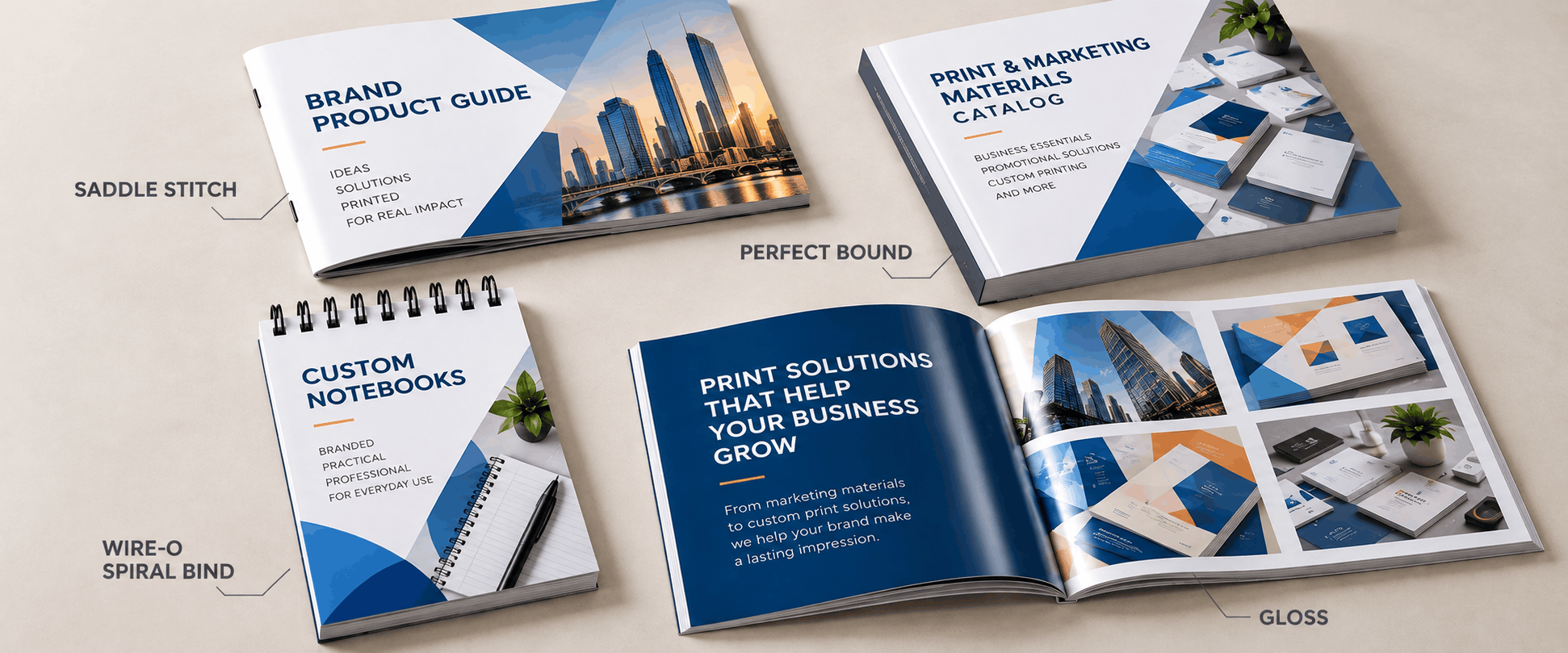
Product catalog design starts with a logical product flow, enough space for each item to be understood at a glance, and a binding and paper stock that match how the catalog will be used. A catalog that crams too much onto a page loses sales before a buyer ever calls. For U.S. businesses selling to distributors, retailers, and contractors, the printed catalog is often the first hands-on look at your line. Good product catalog design treats the piece as a sales tool first, and pairing it with professional custom catalog printing keeps that first impression strong.
A catalog that performs as a sales tool shares a few traits, whatever the industry.
These basics apply whether the piece runs 12 pages or 200. Skipping them is usually what makes an otherwise strong catalog harder to use than it should be.
Binding affects both cost and durability, and the right choice depends largely on page count.
Matching binding to page count is more than a cost decision. A 150-page catalog that is saddle-stitched will struggle to lay flat and may not survive repeated handling. For reference-heavy pieces that stay open on a desk, bound books in coil or Wire-O formats are usually the more practical option.
Product order shapes how fast a customer finds an item, and confusing catalogs lose sales as much as weak design does.
This matters most in B2B catalog design, where buyers compare many items quickly. Many wholesalers also pair the catalog with brochures that introduce a single line, so the catalog itself can focus on detail.
Layout decides how quickly a reader understands what they are looking at, and whether the catalog feels premium or cluttered.
Businesses without an in-house design team often work with graphic design professionals to build a grid and style system before the first photo is placed. That upfront work keeps every page consistent and reduces revision rounds later.
The paper a catalog is printed on shapes how your brand is perceived before a single description is read.
Choose stock based on how long the catalog must last and how it will be handled, not budget alone.
File setup errors are a common cause of delayed print runs, and most are avoidable with a few checks.
Catalogs for trade shows or in-person sales calls are often paired with presentation folders, so a prospect leaves with one organized package instead of loose pages.
Catalogs are rarely a one-time job, and planning ahead saves time and money.
Shorter runs through digital printing suit catalogs that update often or need fast turnaround, while larger, stable catalogs are usually more cost effective in offset runs. Plan the reorder cycle alongside the original design so updates stay simple.
A well-designed catalog often sells harder than a sales deck, but only when layout, binding, and paper stock all fit how it will be used. Copies America helps U.S. businesses choose formats, finishes, and quantities that suit their budget and distribution plan. Share your page count, product line, and timeline, and Copies America will recommend a practical option. Contact Us for a product catalog design and printing quote.
Good product catalog design organizes products in a logical order, gives each item enough visual space, and uses binding and paper stock suited to how the catalog will be handled. The goal is a layout that feels effortless to browse, not one that crams in as much content as possible.
Saddle-stitch binding is best for catalogs under 64 pages, while perfect binding suits longer catalogs that need a flat, printable spine. Catalogs used at a desk while placing orders often work better with coil or Wire-O binding because they lay completely flat.
A product catalog has no fixed page count, because it depends on how many products you feature and how much detail each needs. Catalogs under 64 pages usually use saddle-stitch binding, while larger product lines often run to hundreds of pages and use perfect binding.
Yes, full color printing is standard for product catalogs because buyers rely on photography to judge items they cannot handle before ordering. Gloss stock helps product images look sharp and vibrant, while matte stock gives a quieter, premium look with less glare.
Most businesses reprint a product catalog annually or whenever pricing and product lines change significantly. Frequently updated lines may reprint quarterly in shorter digital runs. A review cycle before each reprint helps catch outdated pricing or discontinued items before the catalog goes back to press.
Get insider tips about printing, design, marketing and more on your favorite social network.




Enter your registered email address to reset your password. An email will be sent to your registered email address with a password reset link
If you don’t remember your email address please give us a call during normal business hours 9:00 am – 7:00 pm EST at 1-800-423-2679 or leave a voice mail and we will return your call next business day.
Don’t have an account?
Create a new account